
ChatGPT vs. Custom GPTs: Which Should Your Team Use?

For most business tasks, a well-prompted ChatGPT conversation outperforms a poorly designed Custom GPT. For recurring, role-specific workflows, a well-designed Custom GPT outperforms even the best ad-hoc prompting. The question isn't which is better — it's which is right for the task.
Here's the practical breakdown:

Most organizations need both. The mistake is defaulting entirely to one.
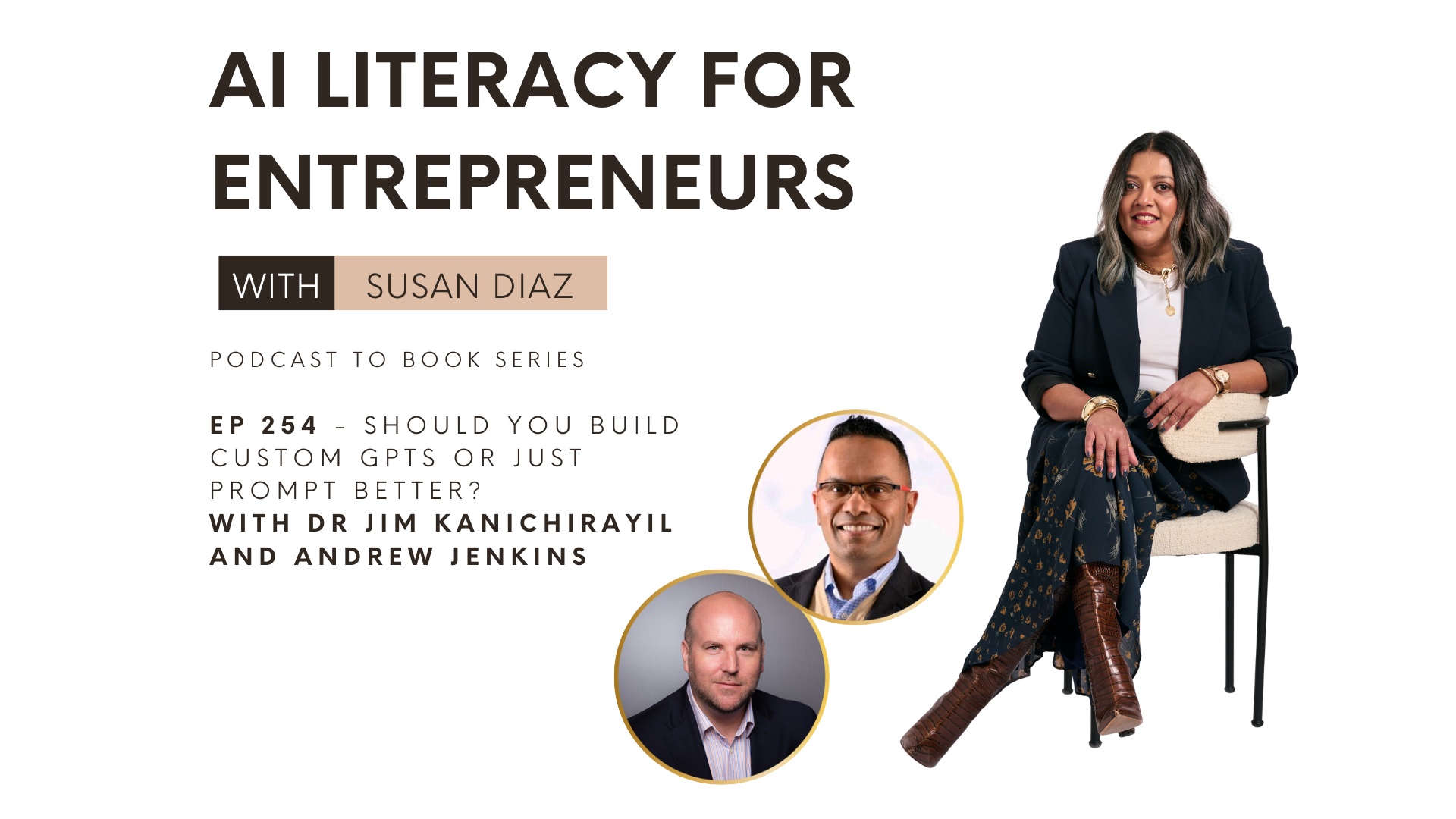
In a recent roundtable discussion on my podcast ‘AI Literacy for Entrepreneurs’ - where I am running a 30-episodes-in-30-days podcast-to-book sprint, I unpacked this question with two experts. Each approaches AI usage from different angles: Andrew Jenkins, an author and social media agency owner who emphasizes a multi-tool, conversational approach, and Dr. Jim Kanichirayil, a GTM strategist who builds tightly scoped, highly opinionated custom GPTs for content and analysis.
Here are the mental models to help you make this decision for your own workflow, or department, or project.
Start Every Workflow with Role-Task-Output
Before you build, or even before you write a single prompt, you need clarity. Dr. Jim’s simplest, yet most powerful, starting framework is to define three core elements:
Role: Who is the AI in this specific scenario? (e.g., "Senior HR tech copywriter...") This sets the necessary persona and expertise. (Some will say this is unnecessary, and in many cases it is. But for customGPTs, it’s pretty key IMO)
Task: What exact, measurable job is it doing? (e.g., "Turn attached transcript into a series of three blog posts for a founder audience covering key topics A, B, and C...") Specificity here prevents drift.
Output: What must the final product include, and crucially, what must it not include? This defines the guardrails.
Once you have defined these, there is one final, essential question to ask the model itself: “What else do you need from me to do this well and in a way that reflects my voice?”
This question is where the real quality begins, pushing you past generic output and toward brand-aligned content.
In the early days of Gen-AI, i named this the ‘master prompt’ - the act of having the machine ask you questions. Now many thinking models in LLMs come with this built in. It’s still worth getting extra detailed when you see your model is not quite giving you what you want - whether in a project or a GPT/Gem.
When to Transition from Prompting to a Custom (no-code) Build
Strong, well-defined prompts are the entry point for effective AI use. They are enough for most ad-hoc, one-off, or exploratory tasks. However, prompting becomes inefficient and frustrating when you encounter patterns that indicate it’s time for a more permanent solution.
You know it's time to stop prompting and start building a custom agent when you consistently see:
The Same Repetitive Task: You find yourself copying and pasting the same long, complex prompt for the same job every day or week.
"Drift" or "Bleed Out": The model consistently strays from your instructions, requiring continuous manual correction. This is an indicator that the core configuration is insufficient for the complexity of the task.
The Same Knowledge Base: You are always attaching the same documents, style guides, or reference materials to every request.
This is your cue to bundle, lock in, and operationalize.
Bundle the Prompts: Consolidate your successful prompts into a single instruction set.
Lock in the Knowledge Base: Integrate your style packs, red lines, and gold-standard examples directly into the tools training data.
Create the Custom Build: Develop a custom GPT or similar artifact that is tightly scoped for that specific, repeatable job.
Dr. Jim even builds a feedback loop directly into his system, asking the GPTs to perform root-cause analysis when they fail: "Here’s what you just did. Here’s why it’s wrong. What do I need to change in your instructions or training material so this doesn’t happen again?” This iterative process is what makes a custom build truly valuable.
The Power of Talking to your Data
Both successful prompting and custom builds rely on a robust knowledge base, which is basically your best examples and instructions consolidated in one place. AI is at its best when you feed it gold-standard samples, not just vague stylistic vibes.
Andrew Jenkins, a proponent of "chatting with the source" (both scientific and woo woo hyuk hyuk) describes how his entire book lives as a markdown file in an AI project. He can then ask the AI to surface case studies and themes instead of manually scrolling through PDFs.
This is the future of reading and research - using AI not just to generate new content, but to interrogate, summarize, and transform your existing proprietary data. With tools like NotebookLM, a single email of bullet points can be transformed into an infographic, a mind map, a slide deck, and a video - all by "talking to the material".
Automation is Good. Autopilot is Dangerous.
Here is the core difference between smart AI use and reckless AI use.
Use AI for Automation: It is brilliant for drafting, analysis, research structure, and standardizing parts of a complex workflow. A well-designed system will look like a chain:
(1) A GPT for first drafts in your voice,
(2) You as the editor and strategist, and
(3) A second GPT that analyzes performance data and feeds lessons back into the system.
Better feedback loops are the goal, not simply more content.
Avoid Autopilot: Treating raw AI output as a final product is a reputation risk. It will sound generic, overwritten, and robotic. Never put your brand on content or outreach you have not personally reviewed.
AI is a 60-70% draft. Your job is to take that draft and ask the ultimate strategic question: “Does this sound like me? Would I actually say this?” The decision to use a custom agent or a simple prompt should ultimately support your ability to answer that question with a resounding "Yes".
Curious where you are today.
Mostly prompts and one-off chats?
A few custom GPTs for repetitive work?
Or full-on systems with knowledge bases and analysis loops?
Drop me an email or Linkedin DM and let me know. (I’m Susan Diaz on LinkedIn)
